Pending Signatures
Overview
Pending Signatures are reminders that a signature is required for one or more documents related to your client’s case. When PCH needs a signed document, we notify you here and provide quick actions to review and sign.
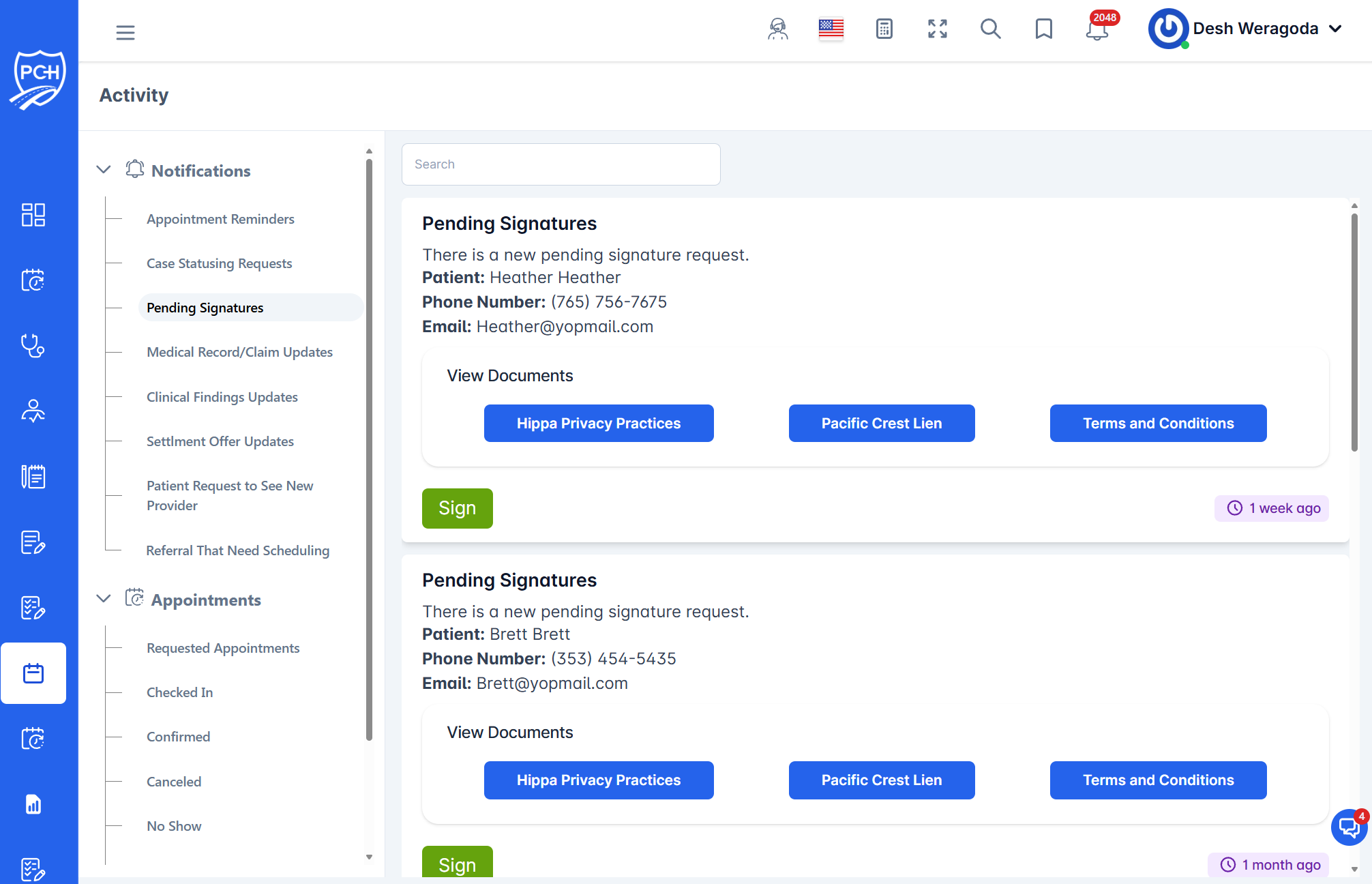
What each card shows
- Title: "Pending Signatures".
- Message: Indicates a new pending signature request.
- Patient: Client name tied to the request.
- Contact: Phone number and email for reference.
- View Documents: Buttons to open the specific documents (e.g., HIPAA Privacy Practices, Pacific Crest Lien, Terms and Conditions).
- Sign: Primary action to complete the required signature(s).
- Timestamp badge: Relative time since the request was created (e.g., "1 week ago").
Behavior
- Reminder: When a signature is required, a reminder entry appears in the Activity feed.
- Visibility: You’ll see items for cases you can access. The card remains until the signature process is completed.
How to complete a signature
- Optionally click any View Documents button to review the document content.
- Click Sign to open the signing flow.
- Follow the prompts to complete and submit your signature. The feed will update once completed.
Tips
- Multiple documents: Some requests include several documents; review each as needed before signing.
- Audit trail: The Activity feed records signature events for history.
Troubleshooting
- Sign button not working? Refresh the page and try again; verify you still have access to the case.
- Can’t find the request? Clear search and scroll; confirm the signature request is still pending.