Appointments - No Show
Overview
If the patient does not attend the appointment, the provider marks the visit as a No Show. This flags the appointment with a No Show status and sends a notification to the attorney and case manager.
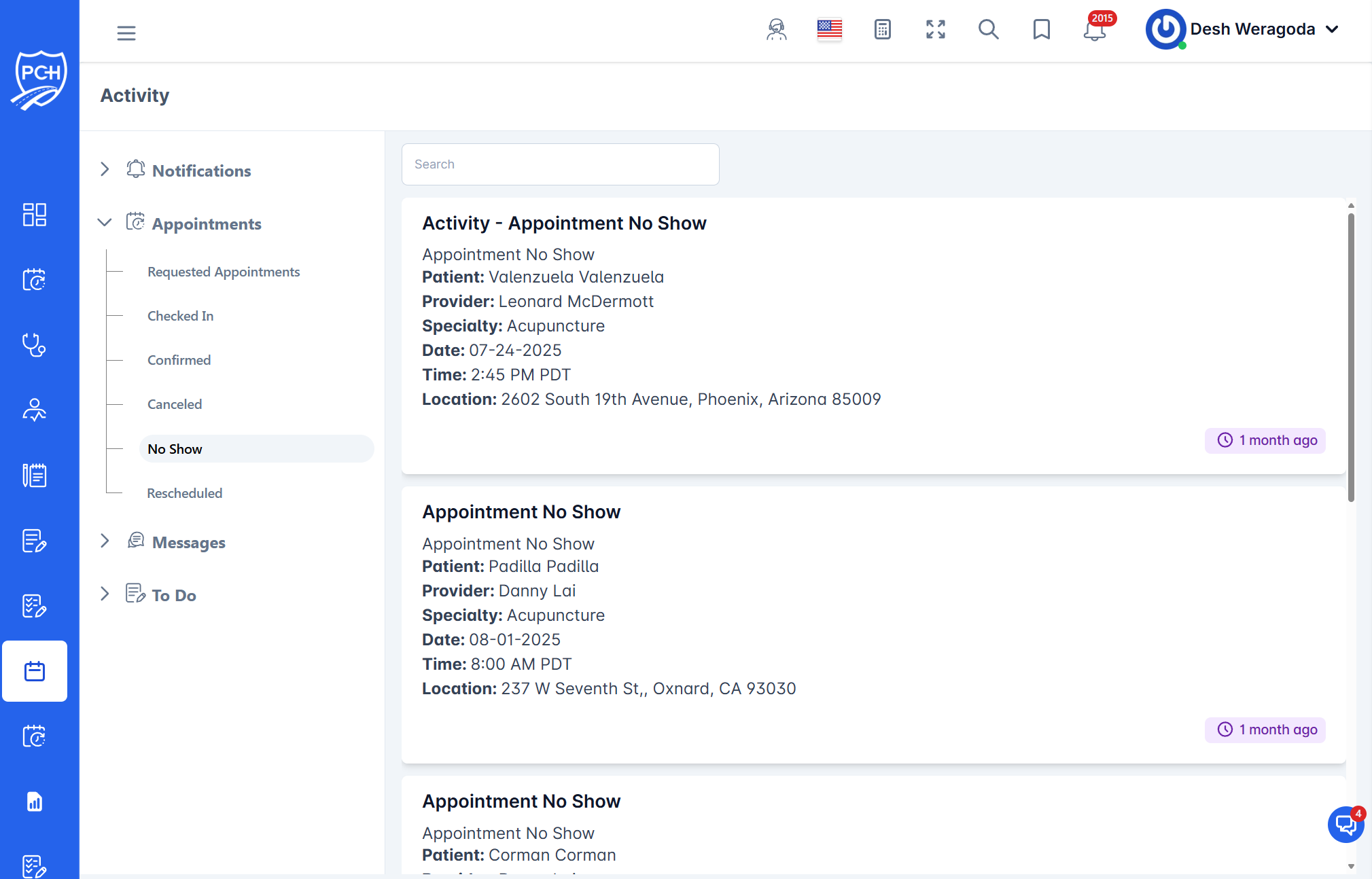
What each card shows
- Title: "Activity - Appointment No Show".
- Patient: Patient name.
- Provider: Scheduled provider/facility.
- Specialty: Provider specialty.
- Date and Time: Original appointment date/time with timezone.
- Location: Address of the appointment.
- Timestamp badge: When the No Show was recorded (e.g., "1 month ago").
Behavior
- Trigger: Provider indicates the patient did not show for the scheduled visit.
- Effect: Appointment status set to No Show; notification posted in the Activity feed.
- Downstream: Follow firm policy—reschedule, contact client, or update case notes as needed.
Recommended actions
- Reach out to the client to understand why they missed and whether to reschedule.
- If rescheduling, use the scheduling module and confirm transportation/prep as needed.
- Document the outreach and next steps in case notes/tasks.
Tips
- Search: Filter by patient or provider to quickly find missed visits.
- Prevention: Ensure reminder preferences are enabled to reduce future no-shows.
Troubleshooting
- Marked No Show by mistake? Update the appointment status (e.g., Rescheduled or Checked In) and add an internal note.
- Details inconsistent? Verify the original appointment record and correct if necessary.