Notifications – Appointment Reminders
Overview
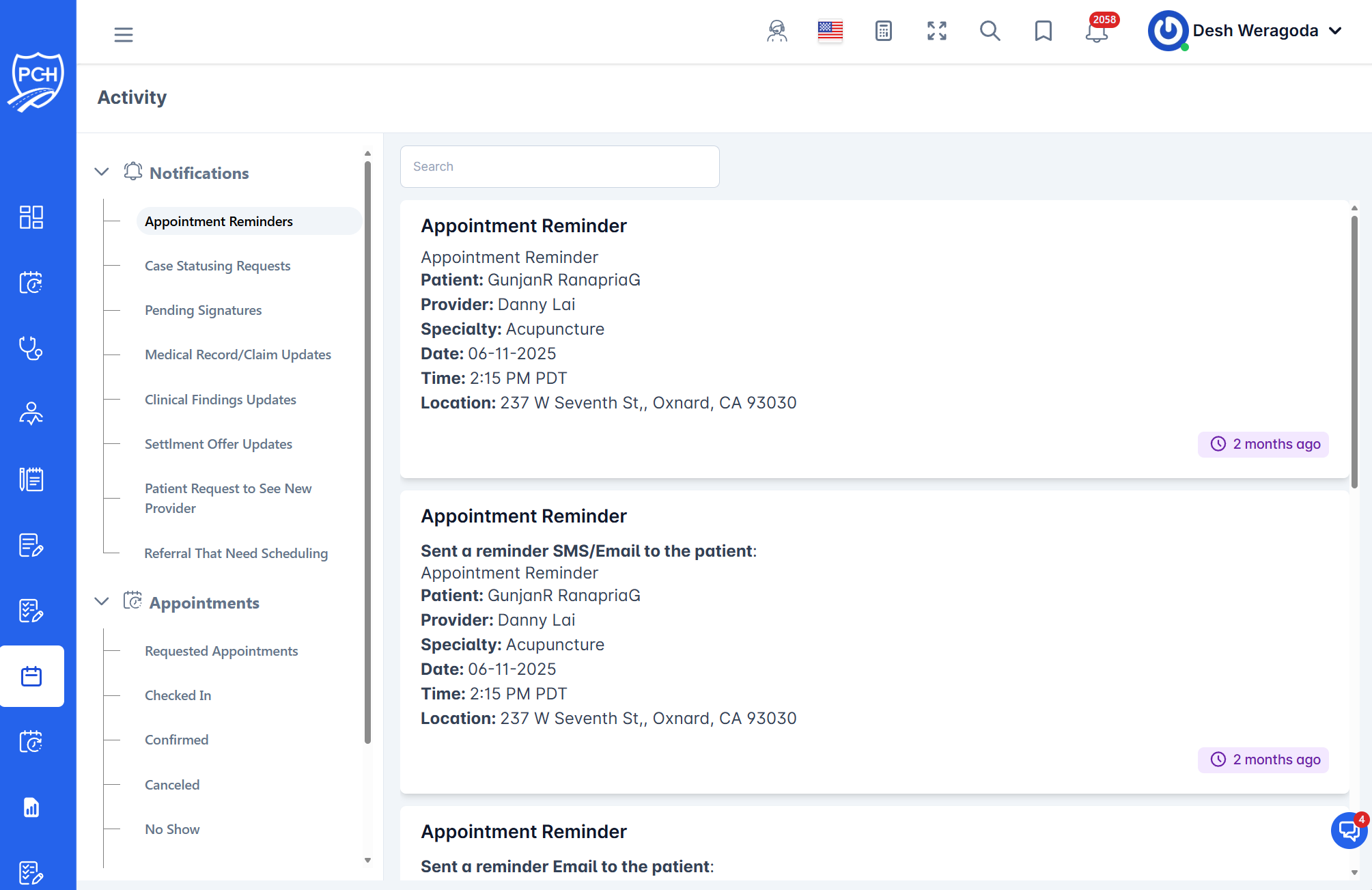
This page describes the Notifications > Appointment Reminders list in the Activity feed for attorneys and case managers. These entries notify you that one of your clients has an upcoming appointment with a PCH Provider.
What appears in each reminder
- Title: "Appointment Reminder".
- Client: Patient name associated to your case.
- Provider: PCH provider name.
- Specialty: Provider specialty (e.g., Acupuncture).
- Date and Time: Appointment date and local time (e.g., 2:15 PM PDT).
- Location: Clinic address.
- Status note (if present): e.g., "Sent a reminder SMS/Email to the patient".
- Timestamp badge: Relative time when the reminder was logged (e.g., "2 months ago").
Behavior and timing
- Trigger: Reminder entries appear for clients on your accessible cases when they have scheduled appointments.
- Delivery: The system may log automated messages (SMS/Email) to the patient; if so, a delivery note is shown at the top of the card.
- Timing: Automated reminders are sent 8 hours prior to the scheduled appointment time.
How to use it
- Scan upcoming visits: Quickly confirm which clients have imminent appointments.
- Search: Use the search bar to filter by patient, provider, specialty, address, or date keywords on the cards.
- Read-only: Cards are informational. Open the patient or appointment from other areas of the portal to make changes.
Tips
- Timezone: Times display in the portal’s configured timezone.
- PHI: Appointment details contain PHI and are visible only to authorized users.
Troubleshooting
- Missing reminder? Clear search and scroll the list. Verify the appointment is scheduled and you have case access.
- Outdated info? Refresh the page to load the latest scheduling and reminder activity.